
 en
en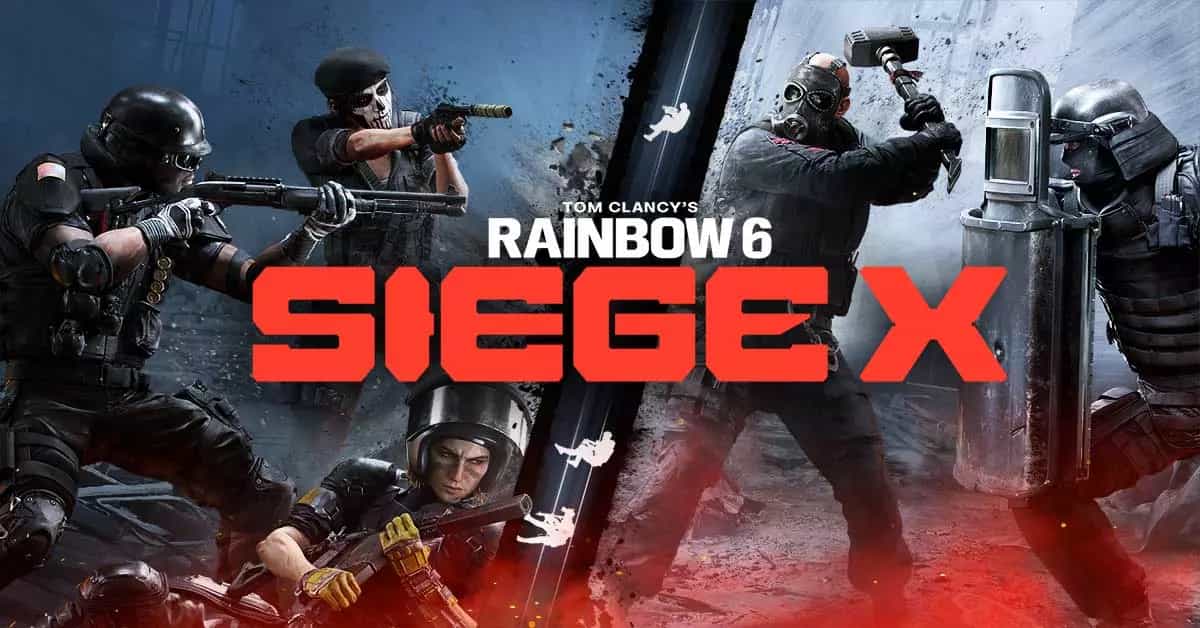
Rainbow Six Siege X Optimization Guide: Best Settings for Performance and Clarity
Kaustavmani Choudhury
Kaustavmani Choudhury
19 Jul, 2025, 08:53
|Last updated: 19 Jul, 2025, 08:57
Whether you're a casual player or pushing for ranked dominance, having optimized settings in Rainbow Six Siege X can make a massive difference. This guide breaks down the best in-game settings based on the configuration you've provided, focusing on performance, visibility, and gameplay responsiveness.
General Settings:
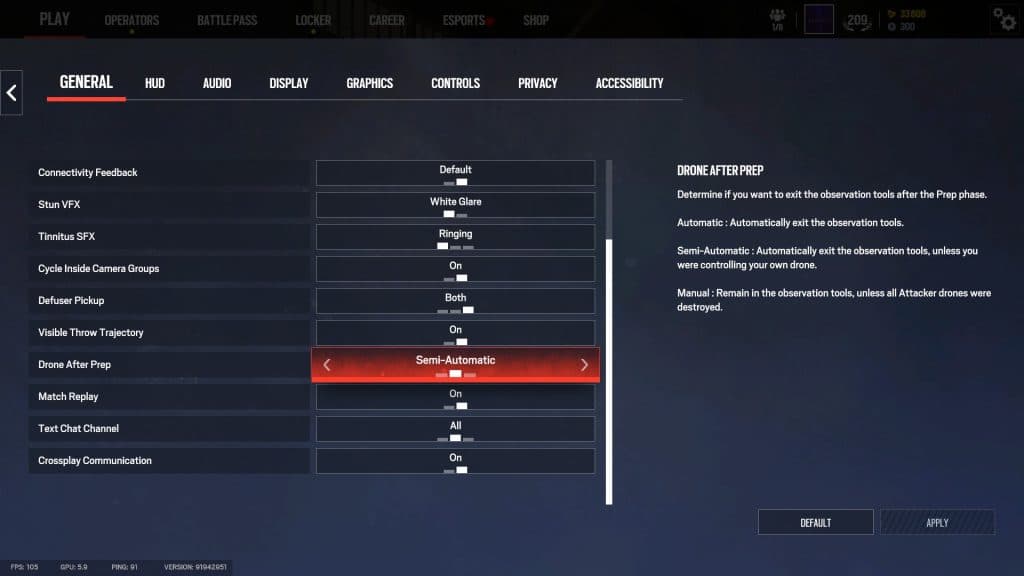
These settings are mostly based on personal preference, and players can set it up however they want. Some of these settings like “Cycle Inside Camera Groups” and “Defuser Pickup” might help improve quality of life, and so should be tuned accordingly.
One setting we would recommend keeping on is the “Match Replay,” which will allow you to go back and look at replays of previous Standard and Competitive matches.
Display Settings:
- Resolution: Match your monitor's native resolution (commonly 1920x1080 or 2560x1440).
- Display Mode: Fullscreen (recommended for best performance and lowest input lag).
- V-Sync: Off
- Field of View (FOV): Adjust to around 85-95 based on your preference. Wider FOV gives more peripheral vision but may reduce clarity on distant targets.
Fullscreen mode and disabling V-Sync reduce input lag, giving you faster reaction times. A balanced FOV improves awareness without overly distorting visuals.
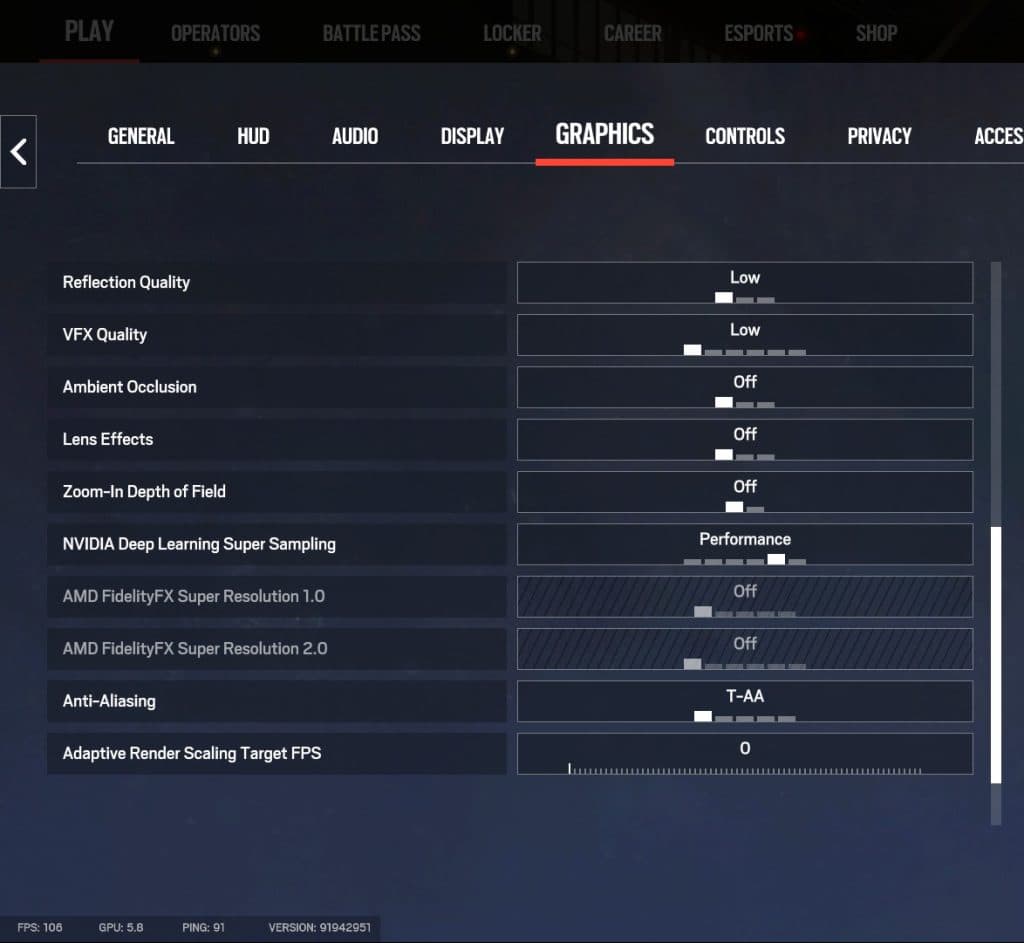
Graphics Settings:
- Texture Quality: Medium or Low
- Shadow Quality: High
- Anti-Aliasing: TAA or Off
- Ambient Occlusion: Off
- Motion Blur: Off
- Screen Shake: Off
- Vignette & Lens Effects: Off
Reducing these visual effects boosts FPS and minimizes distractions, helping you stay focused on critical gameplay elements.
As esports visuals evolve, realistic shadows can reveal enemy positions. This “shadow advantage” justifies keeping Shadow Settings on high.
Audio Settings:
While audio is a purely subjective matter, there are some settings that players can adjust to get the most out of their auditory experience.
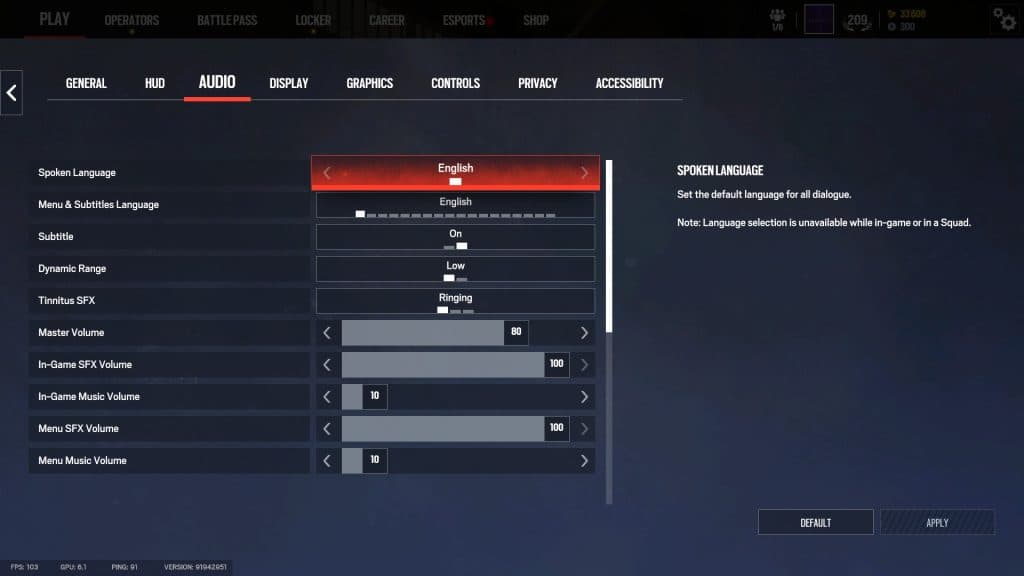
Recommended Tweaks:
- Dynamic Range: Low
- Tinnitus SFX: Muted - the ringing effect can be disorienting for some.
- Keep SFX high and Music low - footsteps and gadget sounds are vital for intel.
Many players report that "High Dynamic Range" audio causes directional inconsistencies, with sounds coming from incorrect locations, which can be costly in Siege X. Low Dynamic Range compresses audio, making footsteps and gadget cues clearer, while restoring a familiar sound-stage from classic Siege, making it the preferred choice for competitive and returning players.
Accessibility Settings:
Although most settings in this section are purely subjective to suit the players individual needs, there is one setting that will help in gameplay. Make sure to turn off "Screen Shake Intensity," which will remove the screen shake that occurs every time there is an explosion in the server.
Apart from that, you can also set team colors, with Siege X defaulting to Blue for your team and Red for the enemy team. But if you want to go back to classic Siege colors, you can set the enemy team color back to Orange as well.

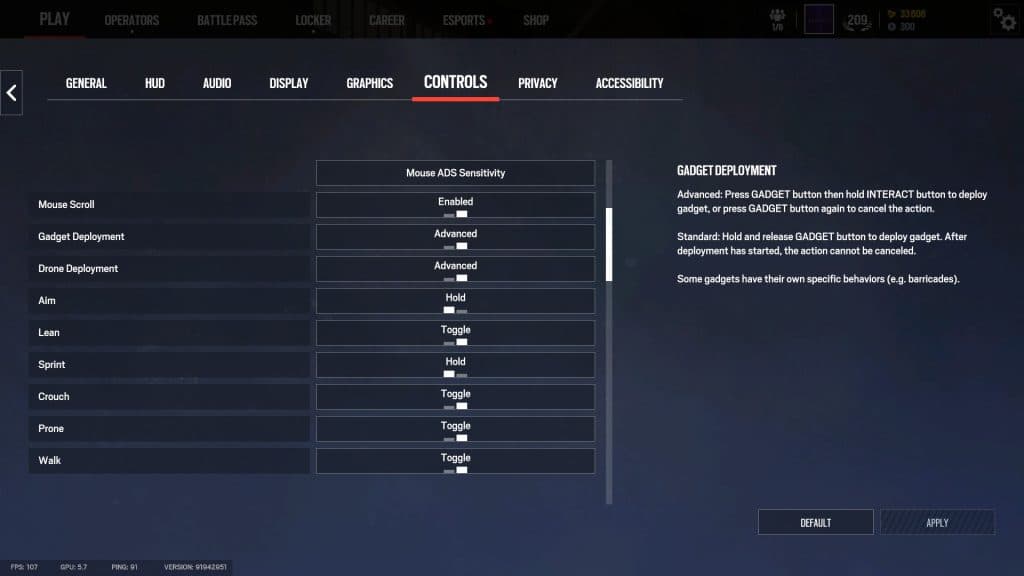
Control Settings:
- Gadget & Drone Deployment: Advanced
- ADS Sensitivity: Adjust per zoom level if you're confident; otherwise, keep it uniform.
- Lean on Toggle: Can help maintain angles, but Hold is more responsive for peek shots.
Controls are about preference, but faster input responsiveness helps in clutch situations. Advanced deployment modes give more control, making it ideal for experienced players. And it also prevents accidental gadget use.
Final Thoughts: Test and Refine
Rainbow Six Siege X offers a robust set of customization options that cater to all levels of play. The key is to balance performance with clarity. Use training modes or deathmatch servers to test changes in a live environment before jumping into ranked.
Optimize once, fine-tune occasionally, and you’ll find Siege becoming a far more responsive and visually clear experience, giving you exactly what you need to top the leaderboards.
Stay tuned to Strafe Esports for more Rainbow Six Siege news. Don't forget to follow us on our Social Media for real-time updates on your favorite games.
Feature Image Source: Ubisoft
Read More:
CAG Osaka’s BlackRay Arrested Amid Shocking Abuse Allegations