
 en
en
How To Buy Items In Dota 2
This guide shows you the fastest ways to buy items in Dota 2. You will learn how to open and navigate the shop efficiently, set up and use Quick Buy for rapid purchasing, and acquire gear from the Secret Shop using the courier.
We will also cover managing your stash and deliveries, optimizing your starting items, understanding the refund window, and the pros and cons of auto purchase. Finally, we’ll explain the difference between in-game gold purchases and cosmetic items found on the Steam Market.
Open the Dota 2 shop and buy items fast

To stay competitive, you must know how to access the Dota 2 shop instantly. The base shop is located within your fountain, but you can browse the shop interface from anywhere on the map to plan your build.
How to Open the Shop:
-
Hotkey: Press F4 (default) to toggle the shop panel.
-
UI Click: Click the gold amount displayed in the bottom right corner of the HUD.
-
NPC Interaction: Click the shopkeeper NPC in the fountain (rarely used).
The Dota 2 shop interface is divided into two main sections: Basics (consumables, attributes, armaments) and Upgrades (combined items). For the fastest navigation, use the item search bar at the top left of the shop panel. Typing "BKB" is faster than clicking through the "Artifacts" tab.
Mastering shop hotkeys is essential for high-level play. Instead of clicking, you can use a grid layout (Q-W-E-R rows) to buy items instantly. While you can browse anywhere, you can only equip items if your hero or courier is near a shop. If you are in the lane, buying items sends them to your stash at the fountain shop (unless you are at the Secret Shop).
Essential Shop Hotkeys:
-
F4: Open/Close Shop
-
F5: Select Courier
-
F8: Quick Buy Purchase
-
F3: Deliver Items
Note: All the hotkeys can be changed in the Dota 2 settings menu.
Quick Buy setup and quick purchasing

The Quick Buy panel is the small bar located just above your gold inventory. It is the single most important tool for spending gold efficiently during a match. Instead of opening the full Dota 2 shop every time you need a component, you can queue items here.
Add and reorder Quick Buy items
To add an item to Quick Buy, hold Shift and click on the item in the shop. This places the item (and all its components) into the bar. As you earn gold, the components will light up and a chime will sound, indicating you can afford them. To clear the Quick Buy slot, click the "X" button on the panel or replace it with a new Shift-click.
Multi-queue with Ctrl+Shift
If you are planning a complex build, you can queue multiple completed items. Hold Ctrl+Shift and click on multiple items in the shop. They will line up in your Quick Buy bar in the order you clicked them.
Secret Shop: locations and safe purchasing
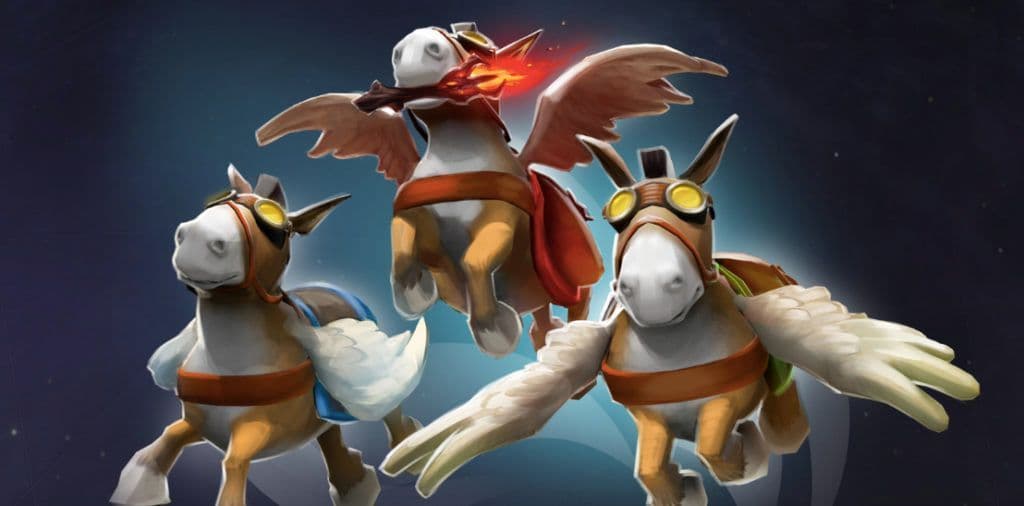
Certain high-tier items, like Sacred Relic or Eagle song, cannot be bought at the base shop. These must be purchased from the Secret Shop.
Where the Secret Shop is (Radiant/Dire)
There are two Secret Shop locations on the map. The Radiant shop is located in the triangle area between the mid and offlane (top) tier 1 towers. The Dire shop is located in the triangle area between the mid and offlane (bottom) tier 1 towers.
Buy via courier vs walking yourself
It is rarely efficient to walk your hero to the Secret Shop. Instead, you should send your courier. Select the courier (F5), send it to the Secret Shop location (W hotkey usually sends it to the Secret Shop), and purchase the item when the courier is in range.
Mark for Buy route and delivery logic
A helpful mechanic for this is Mark for Buy. If you have an item in your Quick Buy that requires a secret component, right-clicking that component allows you to "Alert allies" or command the courier. However, experienced players often use the courier's logic: if you try to buy a secret item while the courier is selected, the courier will often attempt to move toward the Secret Shop automatically.
Be careful not to walk your courier into enemy vision. If you buy from the Secret Shop while the enemy is nearby, your courier could be killed.
Mark for Buy & Courier Flow:
-
Select Courier.
-
Right-click the ground near the Secret Shop.
-
Wait for the shop icon to light up.
-
Buy the item (it goes to courier inventory).
-
Command courier to deliver items.
Stash and courier delivery essentials

When you buy items from the base shop while you are out on the map, they do not appear in your inventory. They go to your stash. The stash acts as a storage locker located in your fountain.
Items in stash vs inventory
You have six slots in your main inventory, three in your backpack, and six in your stash. Items in the stash are inactive. You must move them to your hero to use them. If you are in the fountain, you can click "Grab All" to move items from stash to inventory.
Deliver items and return courier
The most common way to get your gear is to have the courier bring it to you. Press the deliver items hotkey (default F3). The courier will:
-
Pick up all items from your stash.
-
Fly to your hero.
-
Transfer the items to your inventory.
-
Return to base automatically.
Starting items and refund windows
Buying the correct starting items sets the pace for your laning phase. You begin with 600 gold. This should generally be spent on regeneration (Tangos, Salves) and stat items (Iron Branches, Circlets) at the fountain shop before the horn sounds.
Pre-match refunds (40s)
During the strategy time and before the game clock hits 0:00, you have a lenient refund window. You can sell back any item for 100% of its value. This allows you to change your mind if the lane matchup changes.
Early match refunds (after first wave)
Once the game officially starts, the refund window tightens. If you buy an item by mistake, you have exactly 10 seconds to sell it back for full price, provided you haven't used the item (like consuming a Tango). After 10 seconds, items sell back for only 50% of their value.
Cosmetic purchases vs gameplay items (Steam Market basics)
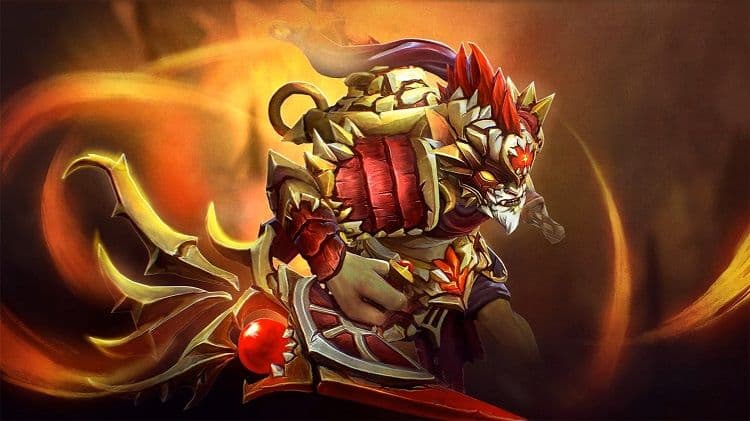
It is important to distinguish between the Dota 2 shop (gameplay items bought with gold) and the Steam Market (cosmetic items bought with real currency).
Gameplay vs cosmetic purchases
You cannot spend real money to get an advantage in a match. Daedalus or Butterfly are strictly bought with gold earned in-game. However, you can buy skins, courier models, and wards on the Steam Market.
Market limitations (limited account)
If you are a new user, you might have a limited account. Steam requires users to have spent at least $5.00 USD on the Steam store to access community features, including the Steam Market. If you are wondering how to buy items in Dota 2 Steam Market, you first need to remove this restriction by purchasing a game or adding funds to your Steam Wallet.
Conclusion
Mastering the shop is a fundamental skill in Dota 2. By using F4 to access the shop and the Quick Buy hotkey to spend gold instantly, you will survive longer and complete items faster. Remember to utilize the courier for Secret Shop purchases and to leverage the stash to keep your inventory manageable. Always watch your starting items and the refund window to avoid wasting early gold. Finally, avoid auto purchase as you improve to maintain control over your economy.
Frequently Asked Questions
How do I open the shop and buy items quickly?
Use F4 or your mapped shop key to open the shop quickly.
Can I buy Secret Shop items without going there?
Yes, you can use the Courier to buy and deliver items for you from the secret shop. It's often a more efficent way of accessing the items there.
How do I use the courier to deliver items from stash?
Items from stash are delivered by pressing Z or which ever hotkey is used to deliver items. Courier must be in base to them up and then travel to your hero to deliver the items.
Featured Image Source: Valve
Read more: Dota 2 Roles Explained To Newcomers