
 en
en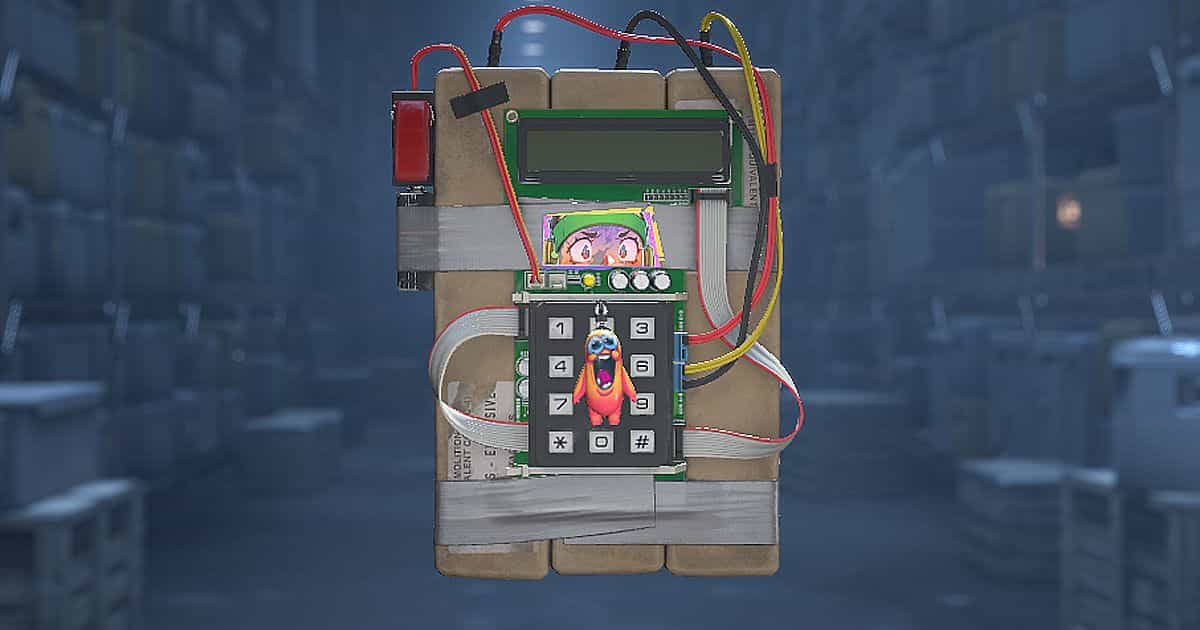
CS2 Now Lets You Apply Stickers to the C4; Here’s How

You can now apply stickers to the C4 in Counter-Strike 2. Valve added the customization option in the September 22, 2026 update, allowing players to decorate the bomb from their inventory with placement and rotation controls similar to those available for weapons.
The feature appears in the miscellaneous section of the official patch notes. It arrived with the Rush Hour update, which also introduced Rush mode, changes to Premier map selection, and the option to reload silently.
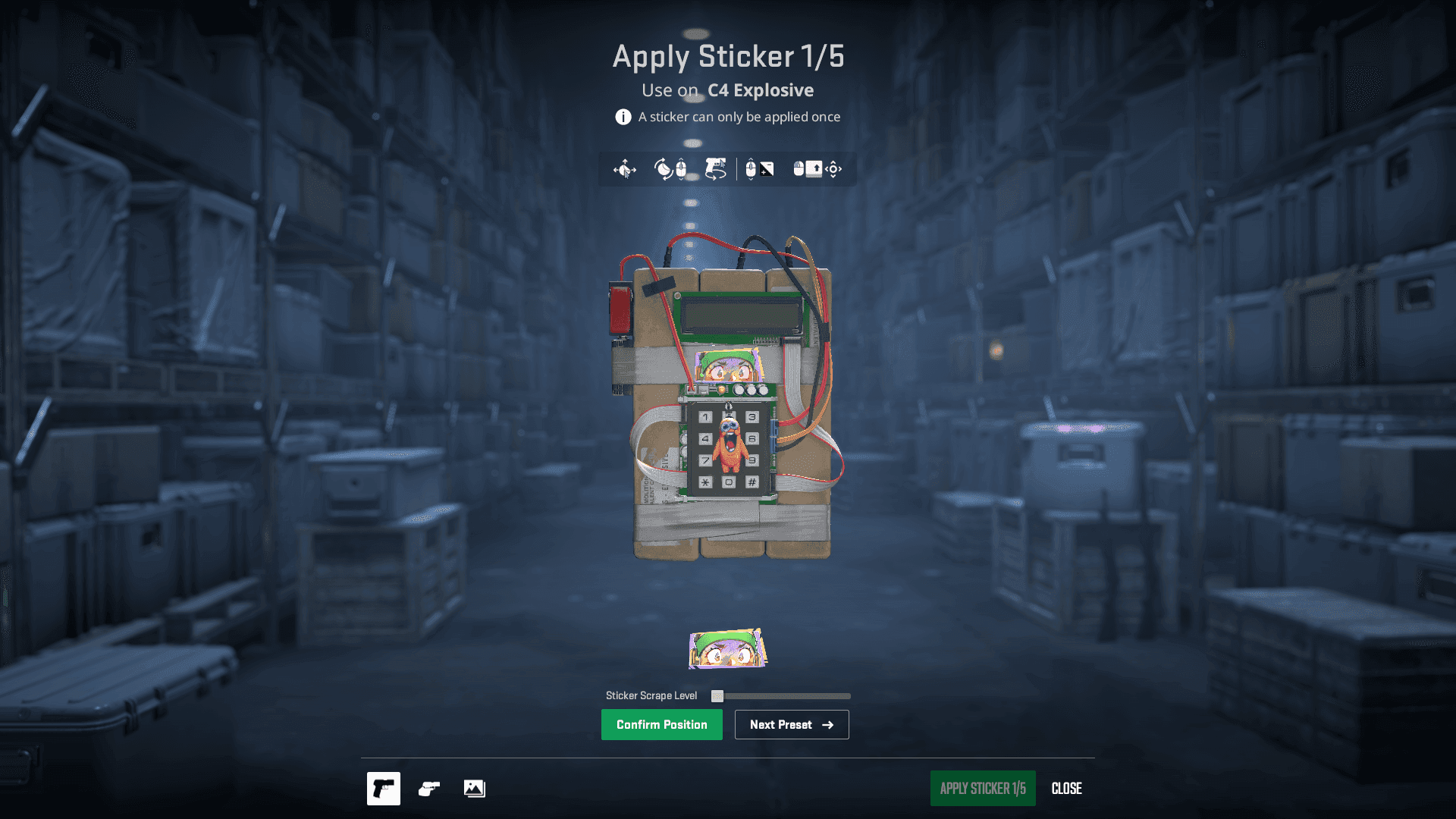
How to Apply Stickers to the C4 in CS2
To apply a sticker to the C4 in CS2, you'll need an unused sticker in your inventory. Here's how:
- Open your CS2 inventory and find the C4. Use the Equipment and Misc filters to locate it more easily.
- Select the bomb and choose Apply Sticker.
- Choose the sticker you want to use.
- Adjust its position and rotation in the preview.
- Check the result and confirm the application.
How Many Stickers Can You Apply to the C4?
You can apply up to five stickers to the C4 in CS2, including on the back of the model. Rotate the C4 in the customization screen to choose where to place each one.
Can You Remove Stickers From the C4?
Yes, stickers on the C4 can be scraped or removed, just like those on weapons. However, removing a sticker destroys it: it won't return to your inventory to be applied to another item. Make sure you're happy with the preview before confirming your choice.
Follow Strafe Esports for the latest Counter-Strike 2 news, and our X account for the latest content and coverage. Also, stay tuned to Strafe's YouTube channel for exclusive interviews, press conferences, and more.
Featured image credit: Valve
Read more:
Latest CS2 Update Introduces New Premier Map Selection, Crosshair Styles, and Chicken Egg(?)
Complexity Ceases Operations After 23 Years
CS2 New Sniper Rifle? Everything We Know About the New Gun