
 en
en
How to Access CS2 Community Servers and Maps?
You’ve downloaded CS2 and played several rounds of Competitive or Premier. Or maybe you’ve been on the exclusive Wingman grind. Whatever your reason, you’re looking to expand your horizons and up your game. One of the best selling points about the Counter-Strike franchise has always been the community.
What are CS2 Community Servers?
CS2 community servers are custom lobbies created and hosted by players or individuals within the CS2 community. Unlike the official servers hosted by Valve, these servers can include custom rules, modifications, and maps, making for a different experience for players looking to spice things up.
Custom community servers exist to allow players to engage in everything from skill-polishing pistol-only deathmatches, to KZ and surf maps, to zombie-run modes.

Main Types of CS2 Community Servers
While there are many different types of community servers, there are a few popular types that the community heavily populates:
Deathmatch servers: The bread and butter for CS2 enjoyers, deathmatch servers usually come customized with improvements to the existing official game mode to better facilitate aim and duel-taking prowess. This may come in the form of faster respawn timers, longer round timers, access to all weapons regardless of side selection, automatic reload upon kill completion and so forth.
Some hardcore deathmatch servers even do rotating game modes within the round, such as headshot-only. Pistol-only deathmatch servers also exist for those looking to polish their pistol round win-rate.
Movement servers: Generally grouped together, movement servers include bhopping (bunnyhopping), surf, and KZ. Servers dedicated to one or more of the aforementioned are hosted for players looking to test and improve their movement abilities in the game.
Competitive Scenario Servers: For the truly dedicated looking to improve, custom community servers have been designed to simulate post-plant scenarios on a variety of maps and bombsites from the Competitive Map Pool. Both retaking and site defense (post-plant) can be practiced here.
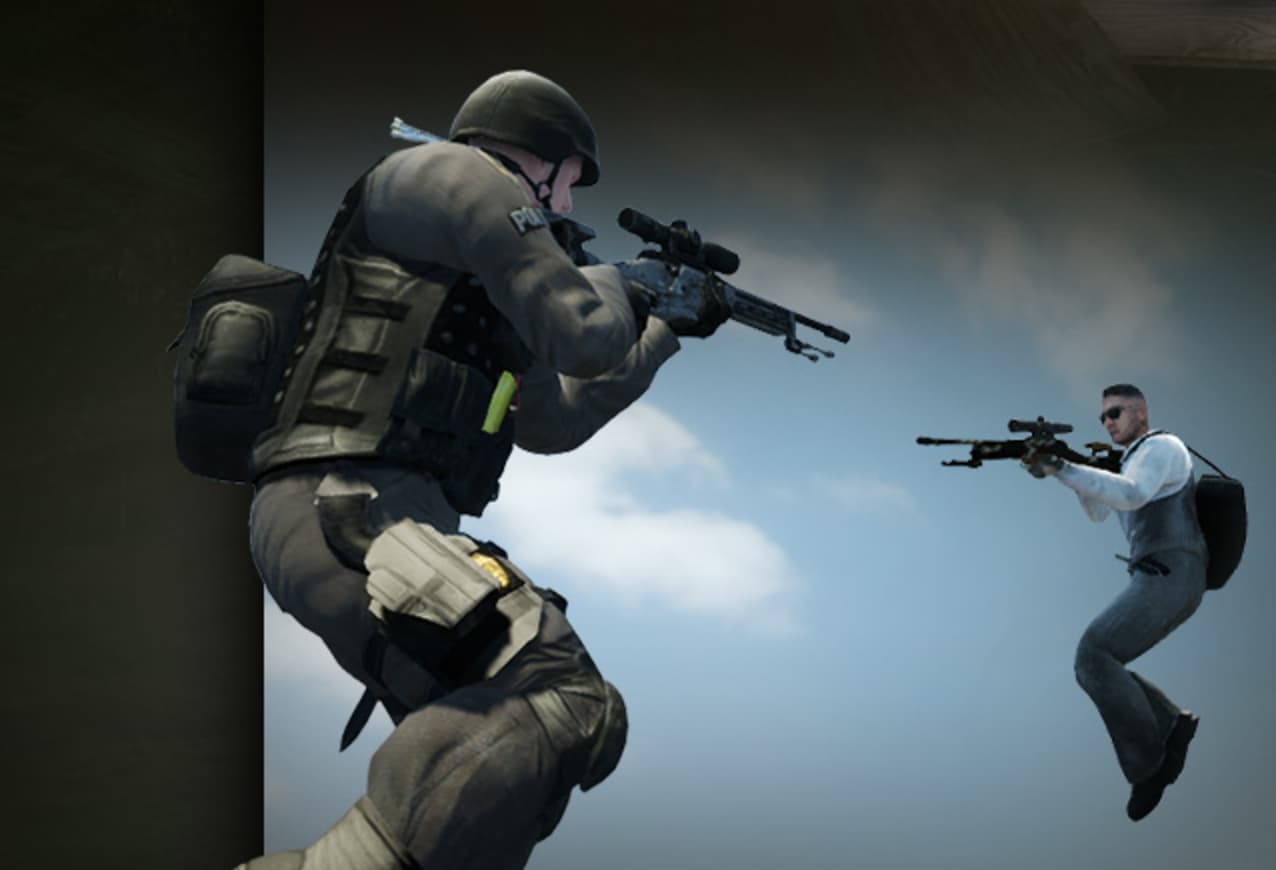
Fun Game Modes: One of the most unique game modes that persists in the community server library are PvE game modes. Some of the most popular ones include zombie escape and survival. Other custom scenario game mode servers also exist, such as the wildly popular ‘Flying Scoutsman’ game mode, with reduced gravity and only-SSG 08 gameplay.
CS2 Community Servers: How to join?
To join a community server on CS2, all you need to do is follow the following steps:
- Launch CS2 (obviously).
- Click on ‘Play’ located at the top of the game screen.
- Under the first sub-menu, there are four options: matchmaking, practice, workshop maps and a globe. Click the globe.
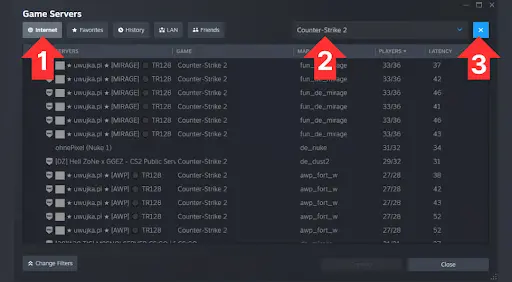
- A server browser will pop up with several options. If you’re new to community servers, the most relevant tab for you will be the first one - internet.
- A dropdown list on the right of the server browser allows you to filter by game title. There are around 30 games listed to filter for. For this case, select ‘Counter-Strike 2’.
- A search bar on the bottom left will allow you to parse for server name keywords in the event you have a particular server in mind.
- Filter options are also available to help narrow your search, be it by game mode, map, ping, or any other criteria that may fit your mind.
- Double-click or select on a server and click ‘connect’ to load into the community server.
Why Join CS2 Community Servers?
Community servers aren't just ways to improve your skills in the game or find new ways to frustrate yourself. Community servers have long been pillars of creativity and ingenuity within the scene, pushing the limits of the engine in new and exciting ways in the form of creative game modes. Find new love for the game, or a way of blowing off some steam after a rough streak of losses with more relaxing gameplay.
Final Tips for the Best CS2 Community Server Experience
Opening that server browser and loading up one of the thousands of servers is your first step towards the wider Counter-Strike world and the colorful community we continue to be a part of. That initial step can be exciting but it can also be a little confusing and potentially frustrating.
With that said, there are several tips we can give you to increase the odds of you having a good time with your first CS2 Community Server experience.
Before loading the server:
- Check server ping. The browser offers access to virtually every community server that has been configured for public access. However, the location of the server matters greatly and will affect your ability and enjoyment of the game mode upon loading in. Lower ping indicates a better connection to the server and hence a smoother experience.
- Read Server Names, Description and Tags. This will not only help you better sift through to the server game modes you would like to play, but it will also save you time loading onto the wrong servers. Quickly brief yourself on what your selected server is offering before the map downloads and the server loads.
- Check Population Size. Community servers will indicate a maximum population size as well as current active population. Joining a community server with an active community playing will not only enhance your enjoyment of the game mode, but might potentially net you someone who can show you the ropes.
After loading in:
- Server Etiquette and Rules. Most servers will have their own rules posted upon loading in. Familiarize yourself with it so as to not only understand any potential nuances that the server’s community may abide by, but also to ensure that you contribute to a positive experience for everyone else.
Finally, check out custom server lists for CS2 if there is a particular game mode you can’t seem to find on the browser. These are valuable resources that detail not just some of the best servers for whatever may tickle your fancy, but also offer insight into what the servers can offer you, the nuances of their custom settings, and tips for a smoother experience upon launch.
For the latest CS2 news and guides, follow Strafe Esports. Check out our X account for the latest content and coverage.
Featured Image Credit: Exclusive to Strafe Esports
Read More:
How do you Strafe in Counter-Strike 2
Counter-Strike Players with the most Major appearances