

 en
en
How To Surf in CS2
Kaustavmani Choudhury
Kaustavmani Choudhury
30 Dec, 2025, 15:42
|Last updated: 30 Dec, 2025, 15:54
Surfing is one of Counter-Strike’s most beloved game modes, offering a rhythmic break from competitive play. If you want to learn how to surf in CS2, you have come to the right place. This guide covers everything from finding servers and essential console commands to mastering the movement mechanics required to glide effortlessly.
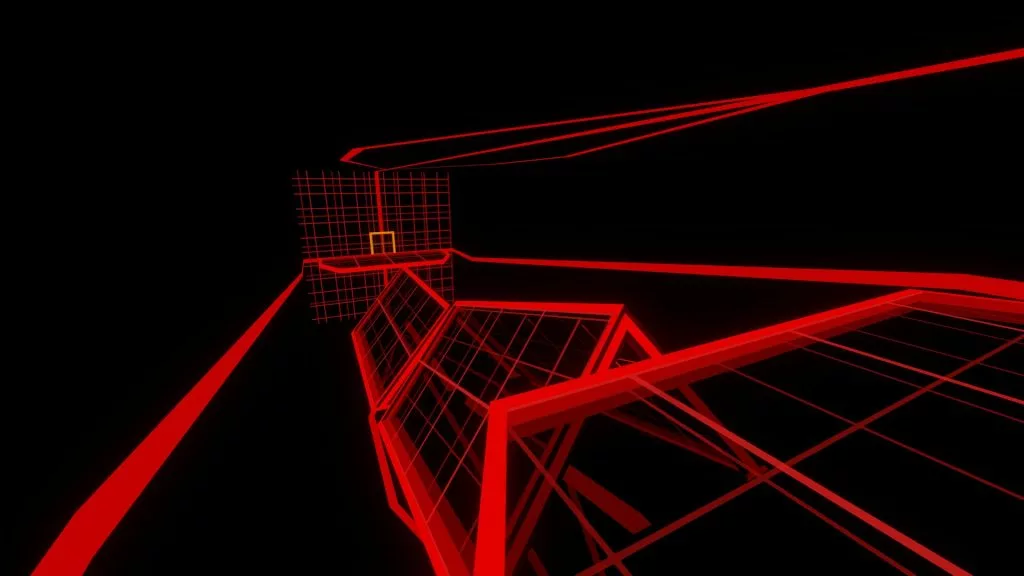
How to Surf in CS2: Step-by-Step
Learning how to surf in CS2 requires setting up the game environment correctly and understanding basic mechanics. Unlike standard movement, surfing relies on air acceleration and strafing.
1. Enable the Developer Console
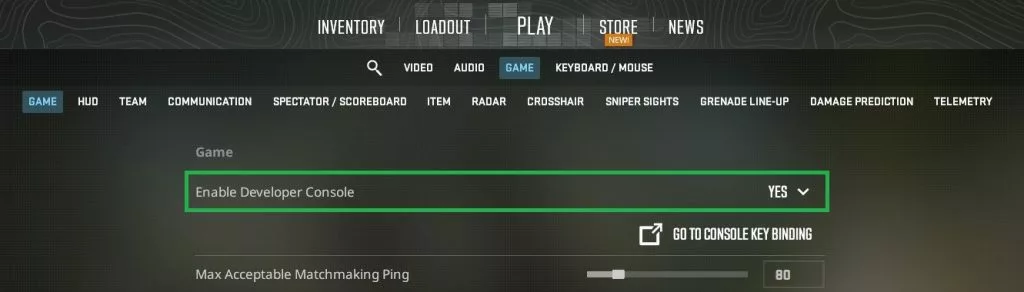
To input necessary commands, ensure your console is active. Go to Settings > Game and set "Enable Developer Console (~)" to Yes.
2. Find a Surf Server
The easiest way to start is by joining a community server.
- Click the "Play" button.
- Select the globe icon for the Community Server Browser.
- Type "surf" in the search bar and connect to a server with a low ping.

3. Offline Configuration (Private Server)
If you prefer to practice alone, you can load a map offline. You will need to enter specific commands to make the physics work. Open your console (~) and paste the following commands:
- sv_cheats 1
- bot_kick
- mp_roundtime 60
- sv_airaccelerate 150
- sv_staminajumpcost 0
- sv_staminalandcost 0
- mp_restartgame 1
4. The Basic Movement
Jump onto a ramp and press the movement key in the direction of the ramp. If the ramp is on your right, hold D. If the ramp is on your left, hold A. Never hold W (Forward) while surfing, as it will kill your momentum instantly.
Best Beginner Surf Maps (Offline Play)
For those wondering where you can surf in CS2 without the pressure of spectators, downloading maps for offline play is the best route. Here are the top four beginner-friendly maps you should download from the Steam Workshop:
- surf_beginner
- surf_utopia
- surf_mesa
- surf_aircontrol_ksf
Advanced CS2 Surf Tips & Tricks
Once you understand the basics of cs2 surf, you can focus on optimization. Speed and smoothness are key to completing difficult maps.
- Smooth Mouse Movement: Avoid jerky movements. Keep your crosshair pointed in the direction you want to travel, slightly towards the end of the ramp.
- Air Strafing: To gain speed between ramps, you need to air strafe. To air strafe, move your mouse left while holding A, or right while holding D.
- Pre-Strafe: Before hitting the first ramp, run and strafe to enter with higher velocity.
Troubleshooting Common Issues
Many players wonder, does CS2 have official surf servers? While Valve doesn't provide official surf matchmaking, the physics engine supports it fully via community servers. Some common issues one might encounter while surfing are as follows:
- Sliding off the ramp immediately.
- Solution: You are likely holding W. specific surf physics require you to only hold the strafe keys (A or D) corresponding to the ramp side.
- Moving too slowly.
- Solution: Check your sv_airaccelerate. If it is set to default (usually 12), you cannot surf. Ensure it is set to at least 150 or 800 for faster maps.
- Can you surf if the browser is empty?
- Solution: If the in-game browser is bugging out, you can use third-party server lists like Xplay or Cybershoke to find IP addresses and connect via console command (connect [IP]).
Frequently Asked Questions
Q1: Can you play surf on CS2?
Yes, you absolutely can. While not an official game mode in the main menu, the community has ported thousands of maps. Learning how to surf in CS2 is just as accessible as it was in CS:GO.
Q2: What is the command for surfing in CS2?
The most critical command is sv_airaccelerate. Without setting this to a higher value (like 150, 800, or 1000), you will slide off ramps. You can easily adjust this when learning how to surf offline.
Q3: How do you surf faster in CS2?
To surf faster, maximize your air strafing between ramps and land smoothly near the bottom of the ramp to carry momentum. Avoid hitting the top edge of ramps, which slows you down.
Q4: How to jump while surfing CS2?
You don't typically jump while surfing a ramp; you jump off it. As you reach the end of a ramp, flick your mouse slightly away from the wall to launch yourself toward the next platform.
Mastering how to surf cs2 takes patience and practice, but it is one of the most rewarding skills in the game. From setting up the correct commands to perfecting your strafes, you now have the toolkit to start gliding.
Featured Image Source: Valve/surf_frosty by heady